


Your flight, read straight from the manifest.
Supported in-flight Wi-Fi portals expose a flight manifest. CabinLink reads it and shows you what you actually look up mid-flight: where you are, how high, how fast, and how long until you land. It keeps working when the cabin signal does not.
Building for an unreliable connection
Airline portals already expose useful flight data, but finding it and keeping it visible can be awkward. I built CabinLink to turn supported manifests into a native dashboard, with layouts suited to each Apple device.
The key decision was how to behave when the connection dropped. CabinLink preserves the last reading and makes its age visible. Stale data is marked explicitly, so an old position does not look like a live update. Feedback and optional support reports help me extend airline coverage.
A look inside the cabin
CabinLink is native across iPhone, iPad, Mac, Apple Watch, and Vision Pro. Explore iPhone Duo on its inner and outer displays, or choose the device you use.
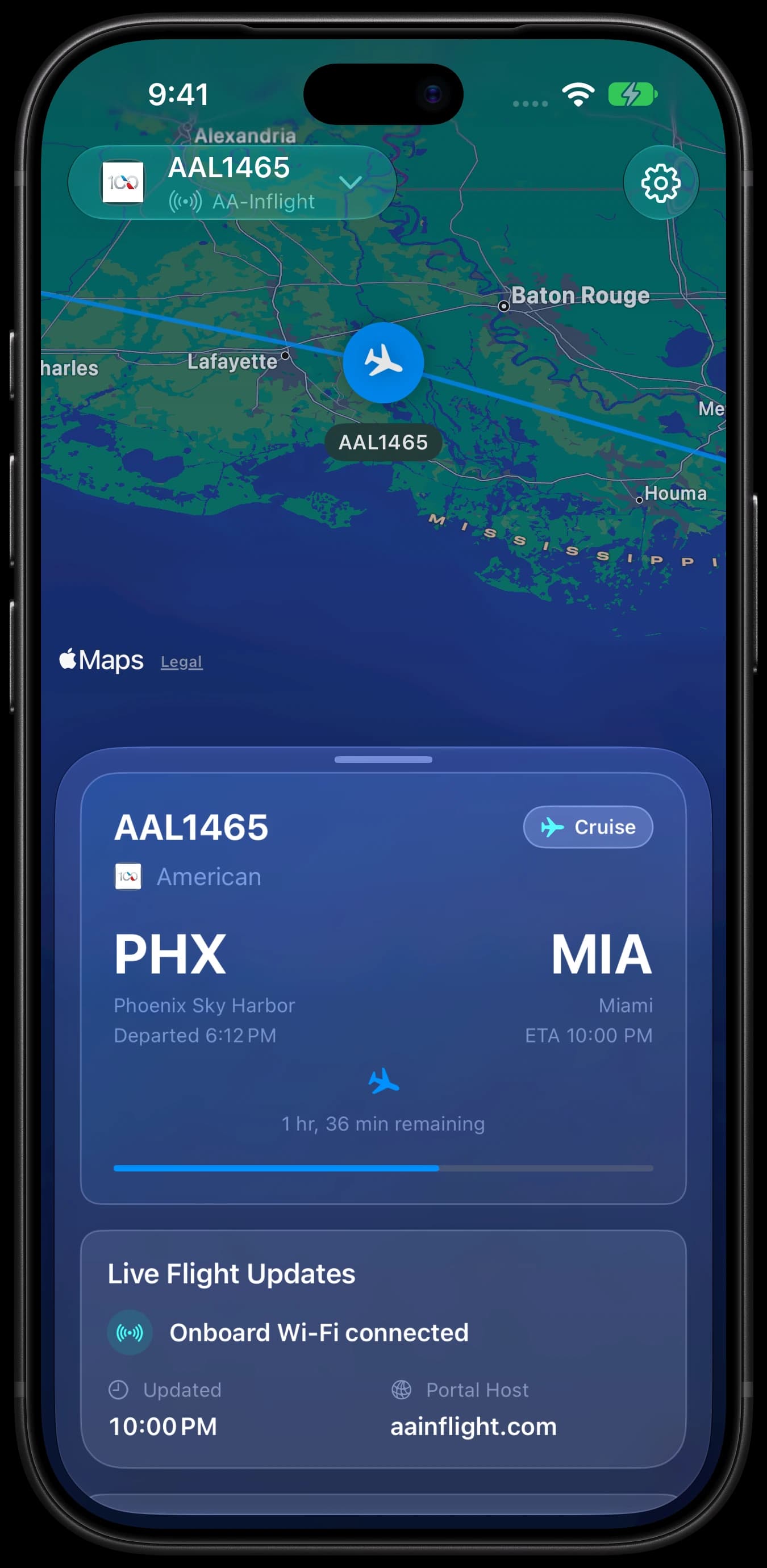
Route dashboard
Your route and where you are on it, front and center.
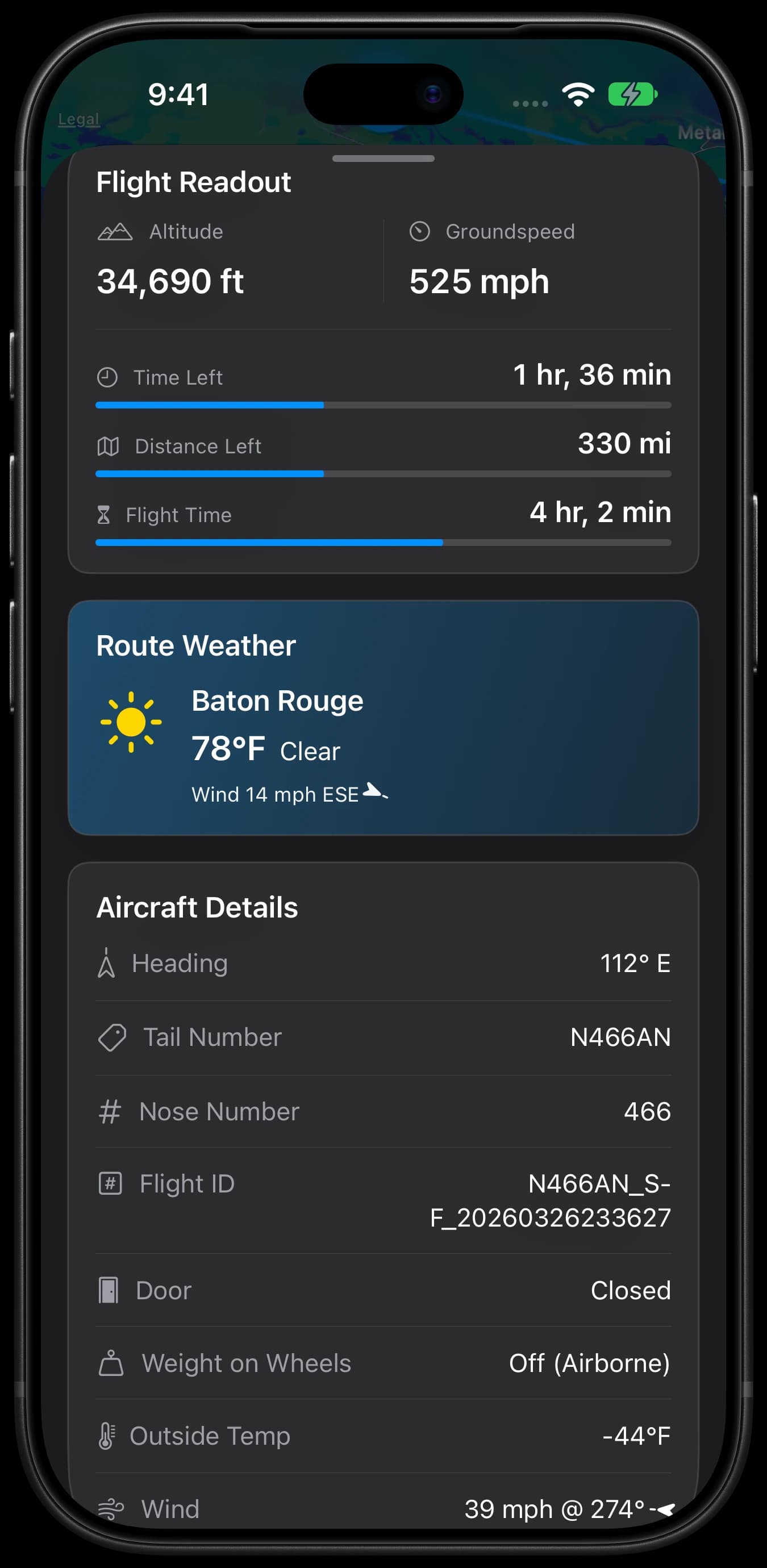
Metrics & weather
Altitude, speed, time left, and weather along your route.
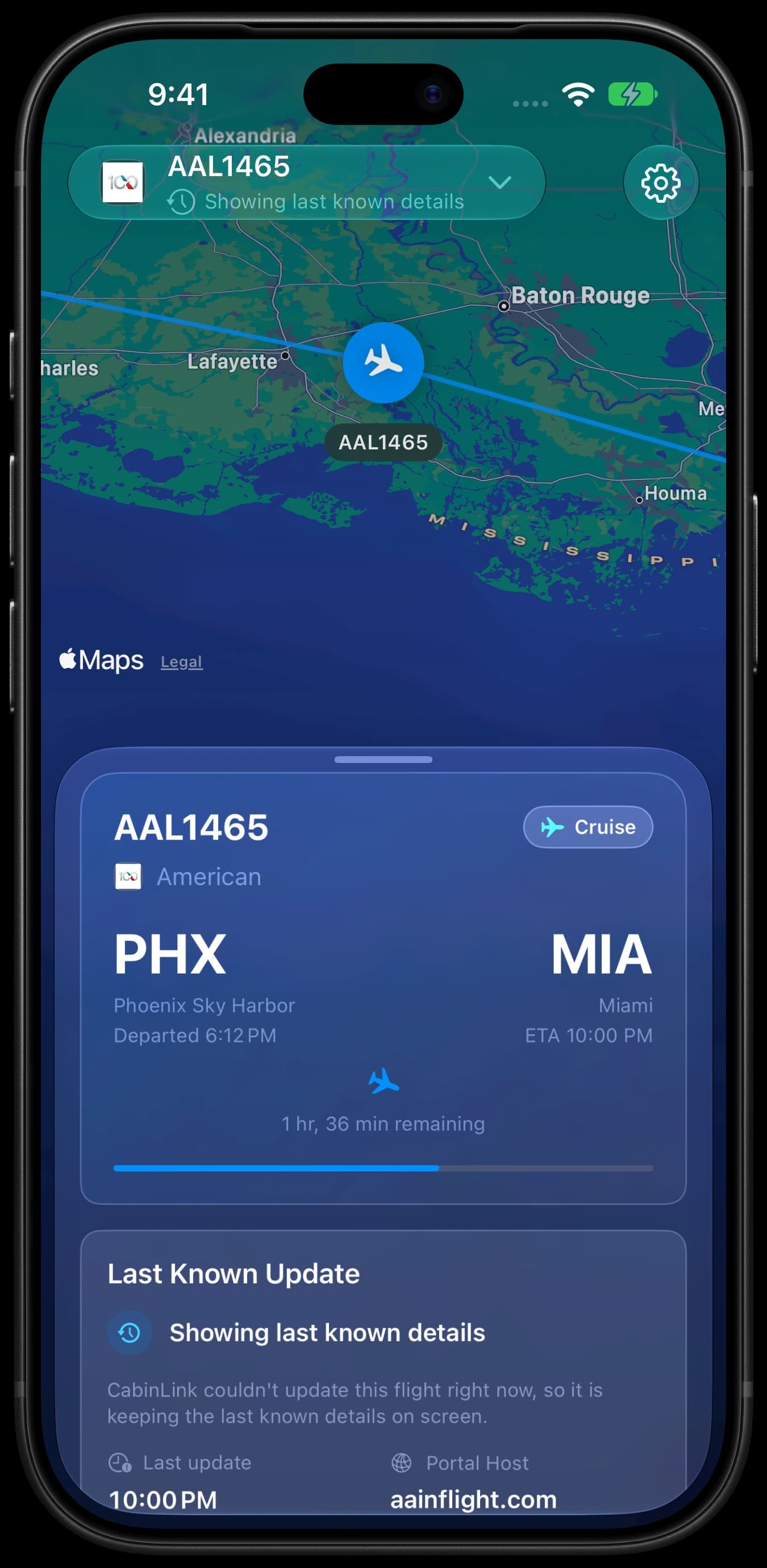
Offline fallback
When the Wi-Fi cuts out, the last reading stays put.
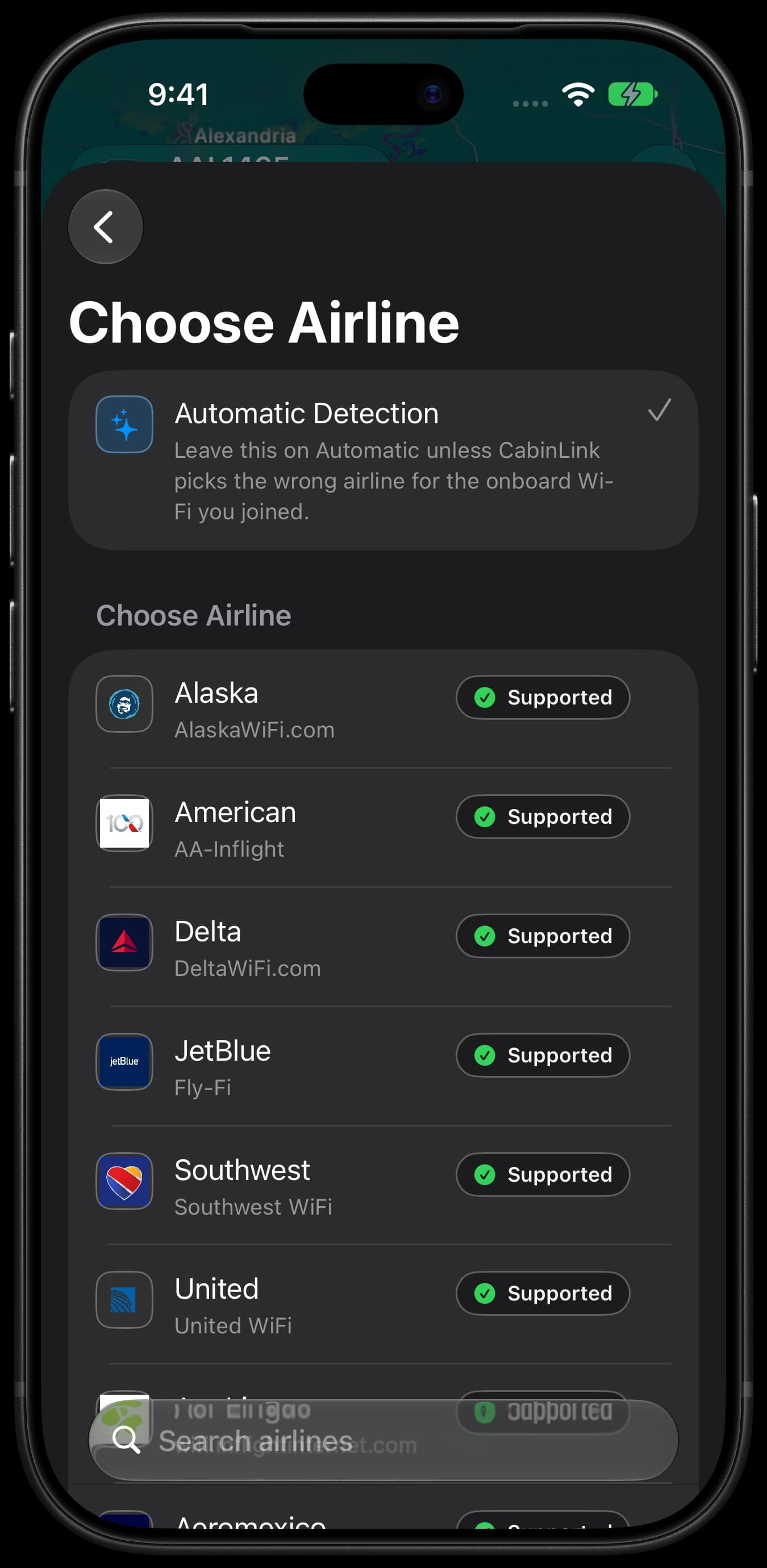
Airline selection
Guessed the wrong airline? Set it yourself.
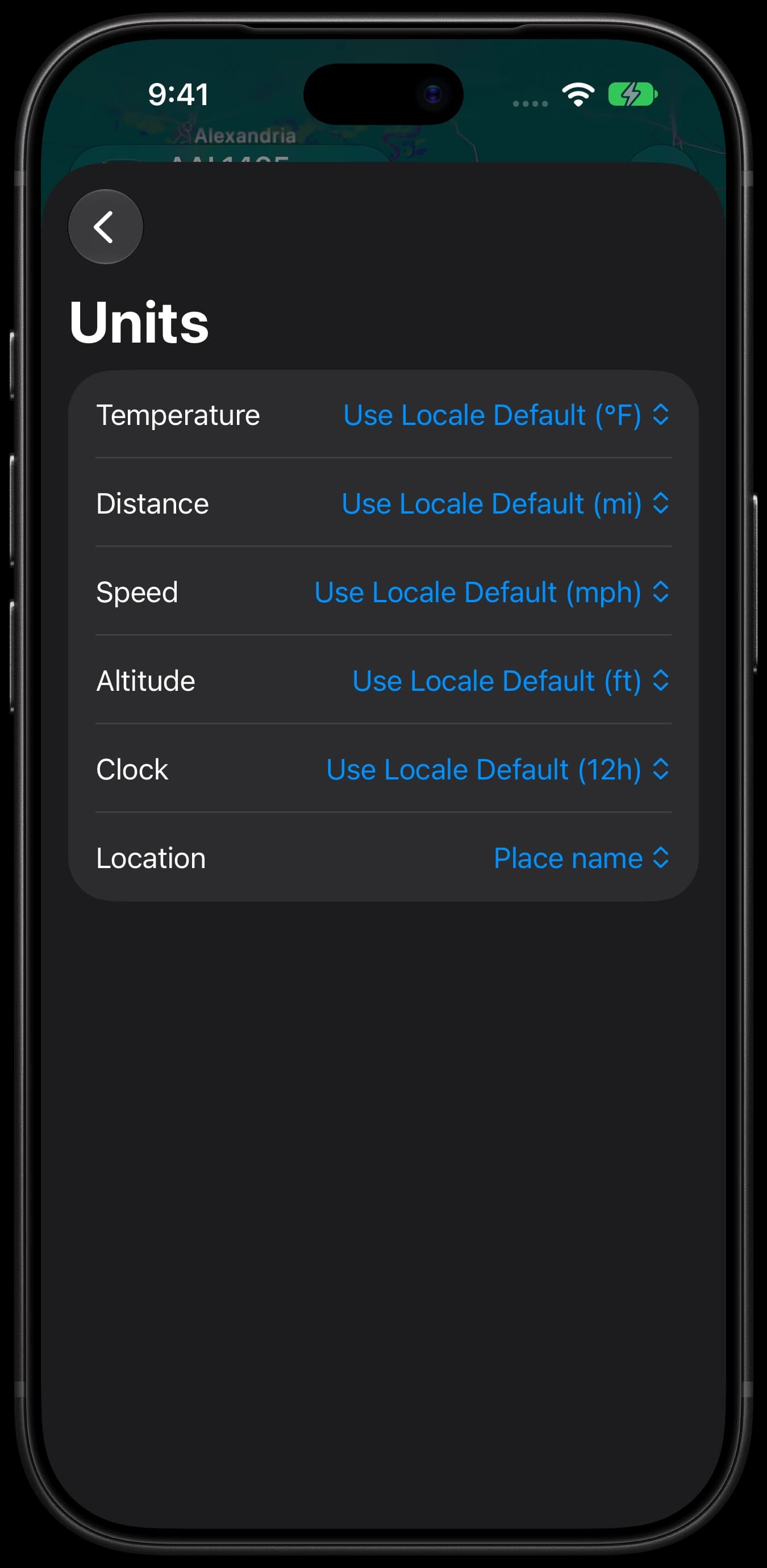
Unit preferences
Metric or imperial, however you read a flight.
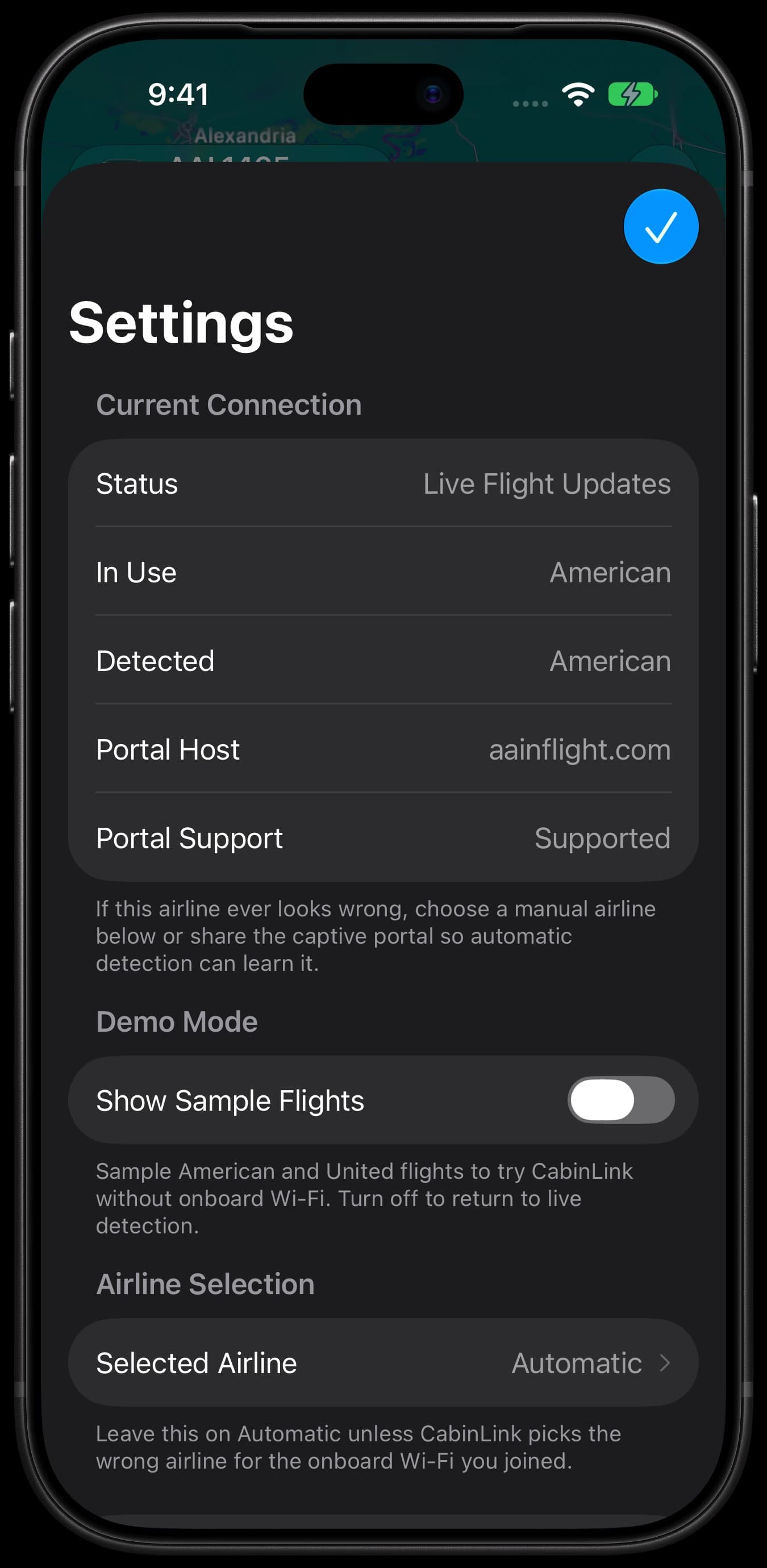
Settings
Check your airline, portal and live update status.
Why CabinLink
Flight details at a glance, with native layouts and clear states for a connection that comes and goes.
Reads the cabin manifest
It starts with the map
Survives a flaky signal
What you get on the screen
The app decodes the raw manifest into one tidy snapshot and shows the parts worth reading. It stays quick even when the cabin connection is barely there.
The numbers you keep checking
Down to the tail number
Weather along your route
Refreshes at your pace
Metric or imperial, your call
No account. No ads.
Supported airlines
These all run on in-flight Wi-Fi that CabinLink knows how to read. Pick yours if the network keeps it vague.
Frequently asked
Do I need to buy Wi-Fi for it to work?
Which airlines are supported?
Which devices does it run on?
Does it track me or show ads?
Take it on your next flight
Free on the App Store. Grab it before you fly, connect to the cabin Wi-Fi, and it takes things from there.


Reached #70 in the US Mac App Store’s Travel chart · June 2026
Read the Product Hunt newsletter feature